

Legacyfolio
Emergency & Estate Planning Folder
Legacyfolio is your digital emergency folder: power of attorney, advance directive, accounts, insurance, contracts, important contacts and your personal wishes – organized in one place. A printable emergency sheet shows your trusted person where everything is. Encrypted with your password, no account and no subscription – your data stays with you.

What is Legacyfolio?
Legacyfolio brings together everything your loved ones need to know when something happens to you: documents, accounts, contacts and your wishes – in one encrypted folder. Instead of a paper binder nobody can find, you get one app that guides you through what matters. It’s private, needs no account and lives on your iPhone and Mac.
Everything in one Place
Nine clear sections
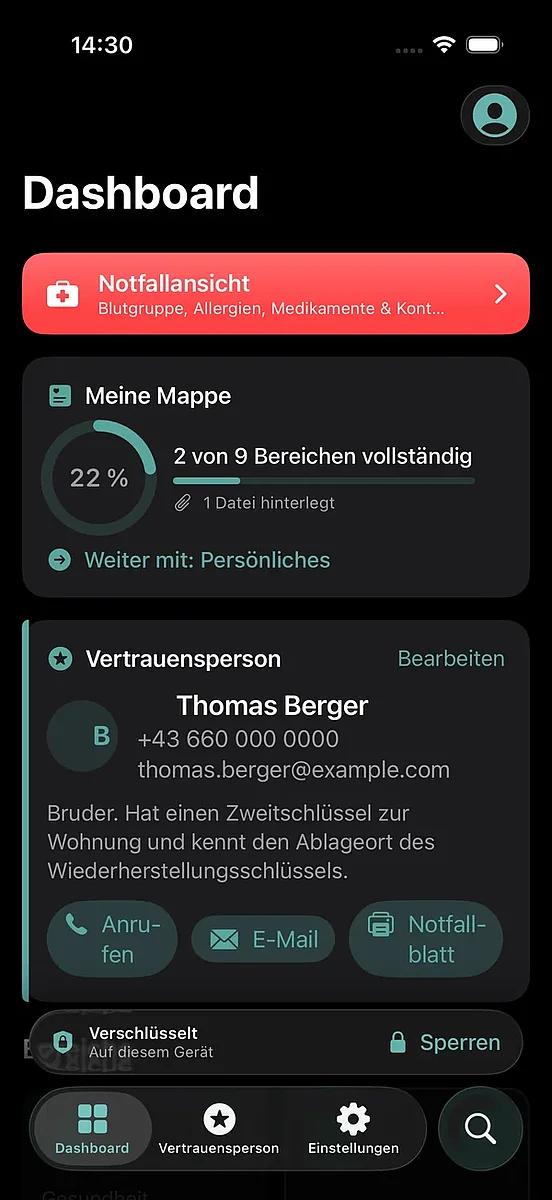
Personal, health, legal documents, accounts, insurance, contracts, digital accounts and your wishes. A progress ring shows what is still missing.
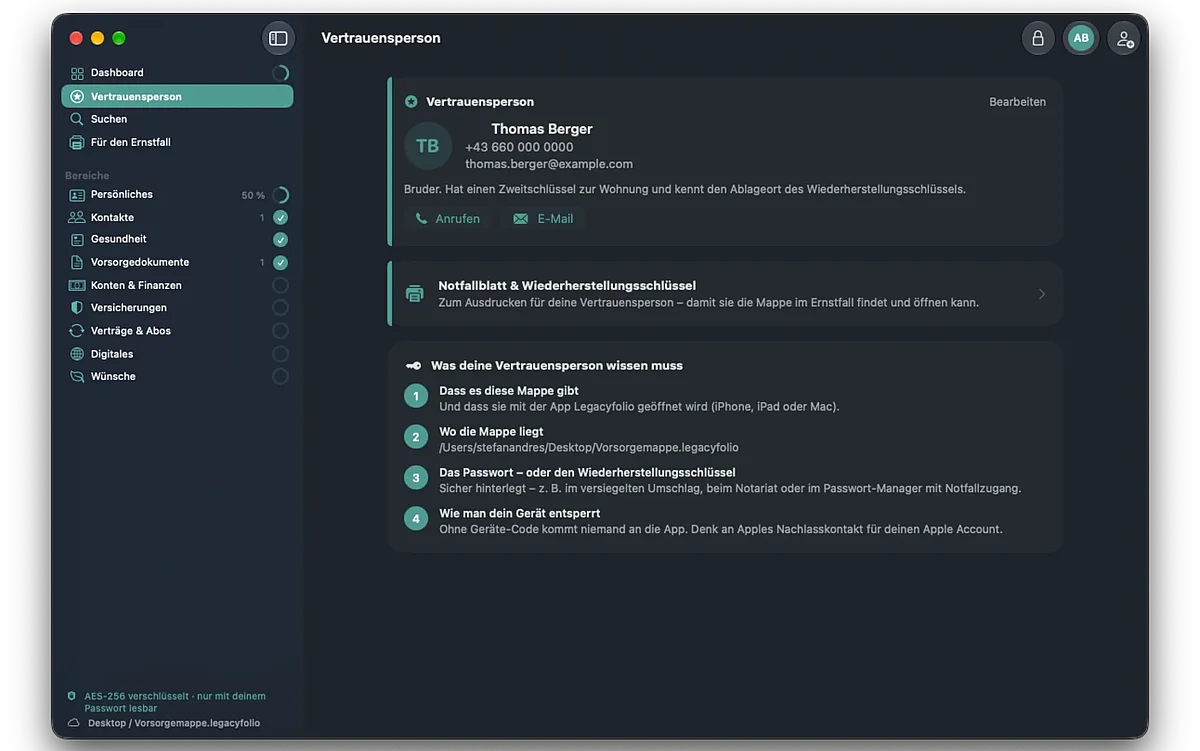
Your trusted person
Choose who is contacted first and gets access in an emergency – imported straight from your contacts.
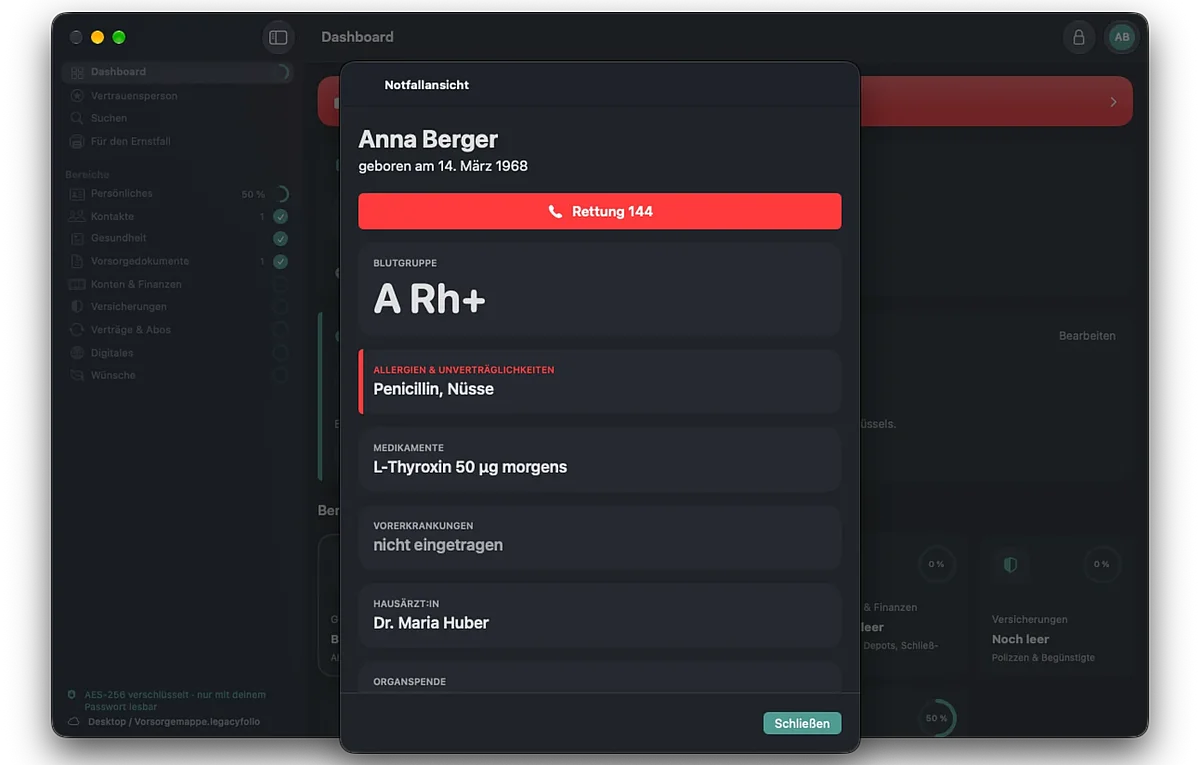
Emergency view
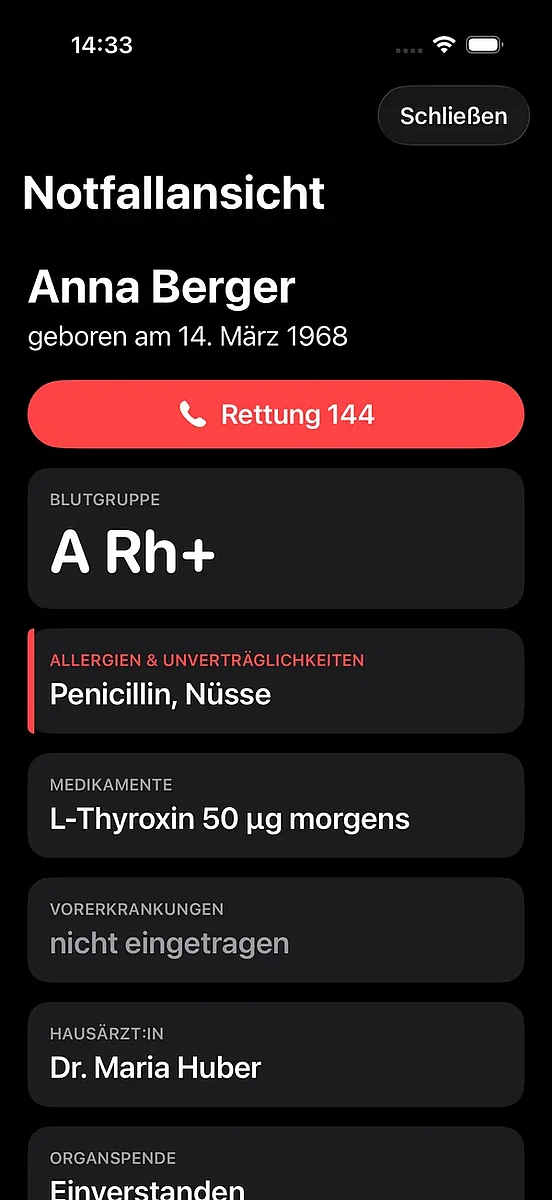
One tap shows blood type, allergies, medication and emergency contacts in large print, with a button to call emergency services.
Printable emergency sheet
One page for your trusted person: that the folder exists, where it is and how to open it.
Deadlines at a glance
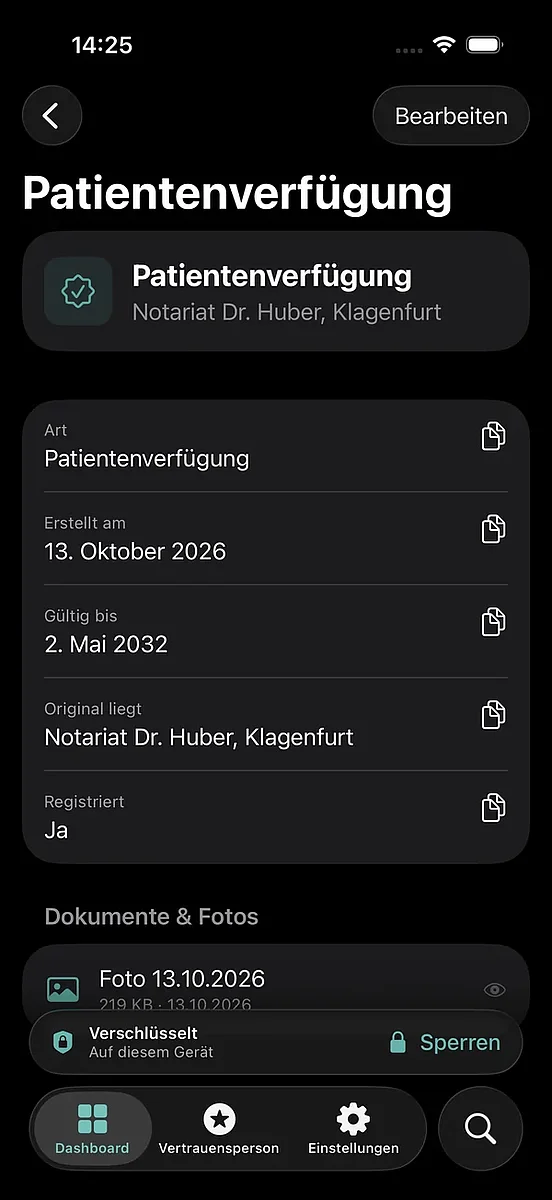
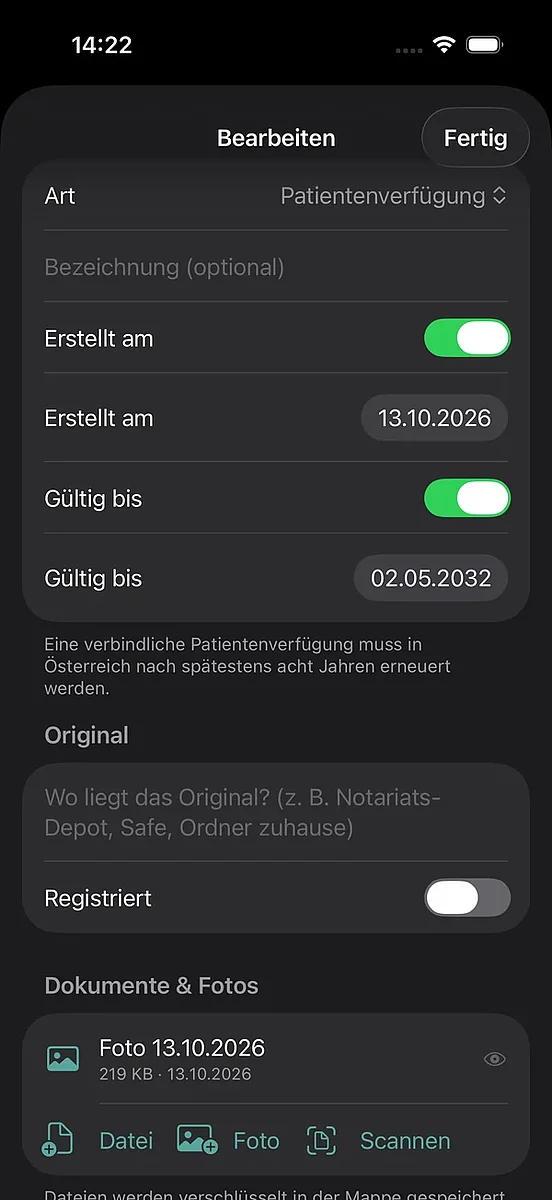
See when an advance directive or insurance policy expires, plus a to-do list of what is still open.
Find everything
Search covers all sections, entries and attached files – and opens the result directly.
Your Folder, secured
Powers of attorney, account details, insurance policies and personal wishes – encrypted with AES-256 and unlocked only with your password, Face ID or Touch ID.
- Photograph, scan, import - camera, Photos or PDF from the Files app – stored inside the encrypted folder
- Recovery key - opens your folder even if you forget your password
- Face ID & Touch ID - on Mac also with your Apple Watch
- Auto-lock - when you leave the app or after a time you choose
- Automatic backups - encrypted, every 12 hours, the last 10 kept
No account
no server, no ads, no tracking
Stays with you
on your device or in your own iCloud Drive
Encrypted
AES-256 with your own password
iPhone, iPad & Mac
one folder, one purchase
Start free, go Pro once
Pro is a one-time purchase with your Apple Account and can be restored on new devices at any time.
| Free | Pro (one-time €19.99) | |
| Entries | up to 15 | unlimited |
| Documents & photos | up to 5 | unlimited |
| Emergency view, emergency sheet, Face ID, backups | ✓ | ✓ |
| Whole folder as PDF | - | ✓ |
| Subscription | - | no subscription |
Frequently asked questions
In a single encrypted file – on your device or in a place you choose, such as iCloud Drive. There is no server and no account. Without your password no one can open the folder, not even the developer.
When you create your folder, you get a recovery key. Use it to open the folder and set a new password. Print it and keep it separate from your device. You can create a new key at any time under “In Case of Emergency”. Without the password or the recovery key, the folder cannot be opened.
Print the emergency sheet under “In Case of Emergency”. It explains that the folder exists, where the file is and how to open it with Legacyfolio. The password and recovery key are deliberately not on it – keep them separately, e.g. with your documents or your notary.
Yes. Move the file to iCloud Drive in Settings › Location & Backups and open it on your other device with “Open another folder …”. If the folder was changed on another device, Legacyfolio asks which version you want to keep.
In every entry under “Documents & Photos”. On iPhone you can scan paper documents directly with the camera. Files are stored encrypted in the folder (max. 25 MB per file).
In Settings › Security. Face ID or Touch ID must first be set up in your device settings. On a Mac you can also unlock with your Apple Watch. Your password stays valid.
Yes. Legacyfolio automatically creates an encrypted backup on your device every 12 hours and keeps the last 10. You can restore an older version in Settings › Location & Backups.
Yes. In Settings › Appearance & Language, choose Austria, Germany, Switzerland or another country. Terms, register hints and the emergency number adjust accordingly. The app is available in English and German.
No. Please have legal documents such as powers of attorney, advance directives or wills drawn up by a notary, lawyer or advice centre. Legacyfolio helps you keep everything organized and easy to find.
Free for all sections with up to 15 entries and 5 files. “Legacyfolio Pro” unlocks unlimited entries and files plus the whole folder as a PDF – €19.99 one-time, no subscription. One purchase covers iPhone, iPad and Mac.
Settings › Legacyfolio Pro › “Restore purchases” – using the same Apple ID you purchased with.