
Docfolio
Receipts, Warranties & Contracts
Docfolio is your filing cabinet for receipts, warranty cards and contracts. Drop in a PDF or photo, or scan with your iPhone. Docfolio reads merchant, date and amount, reminds you before warranties expire and prepares your tax export for Austria and Germany. No account, no ads – your data stays on your Mac.
Coming soon to the store
What is Docfolio?
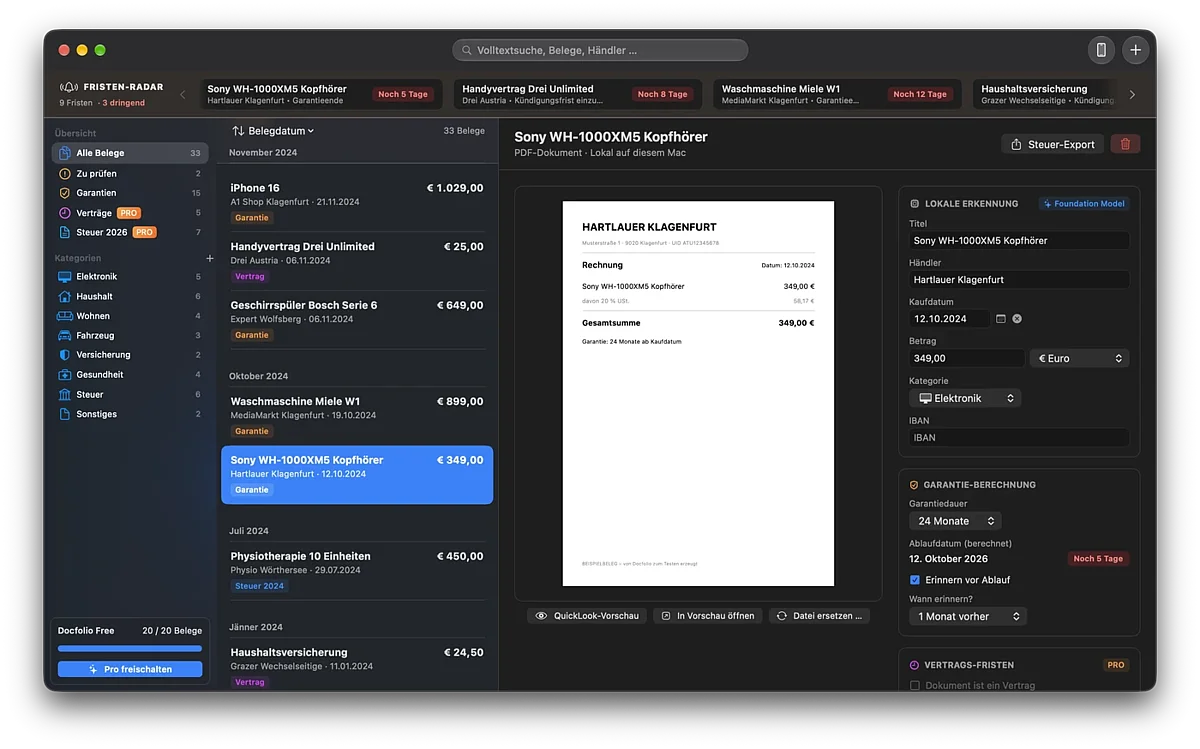
Docfolio is the folder for everything you'd otherwise hunt for in drawers: receipts, invoices, warranties and contracts. Just drag a receipt in or scan it with your iPhone. Docfolio reads the details, reminds you of deadlines and helps with your tax return. Private, no account, right on your Mac.
Receipts, warranties, contracts. Finally in order.
Just drag it in
Drop a PDF or photo into the window or click "+", and the receipt is filed.
Scan with your iPhone
With Continuity Camera, you photograph receipts with your iPhone straight into Docfolio.
Recognized automatically
Docfolio reads the merchant, date, amount and category right on your Mac, with Apple Intelligence on macOS 26.
Warranties at a glance
Docfolio reminds you before a warranty expires. The deadline radar shows what's due next.
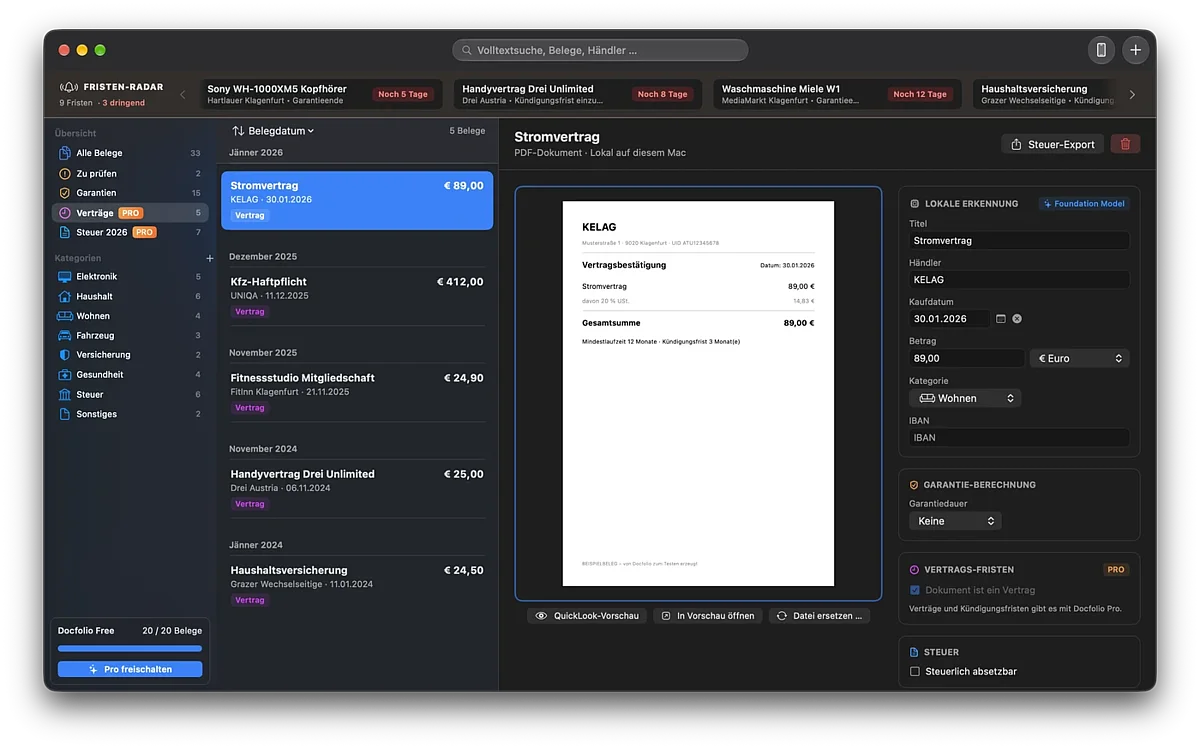
Contracts & notice periods
File contracts with their notice period and get a reminder 14 days before (Pro).
Found in seconds
Search and categories get you to any receipt, even years later.
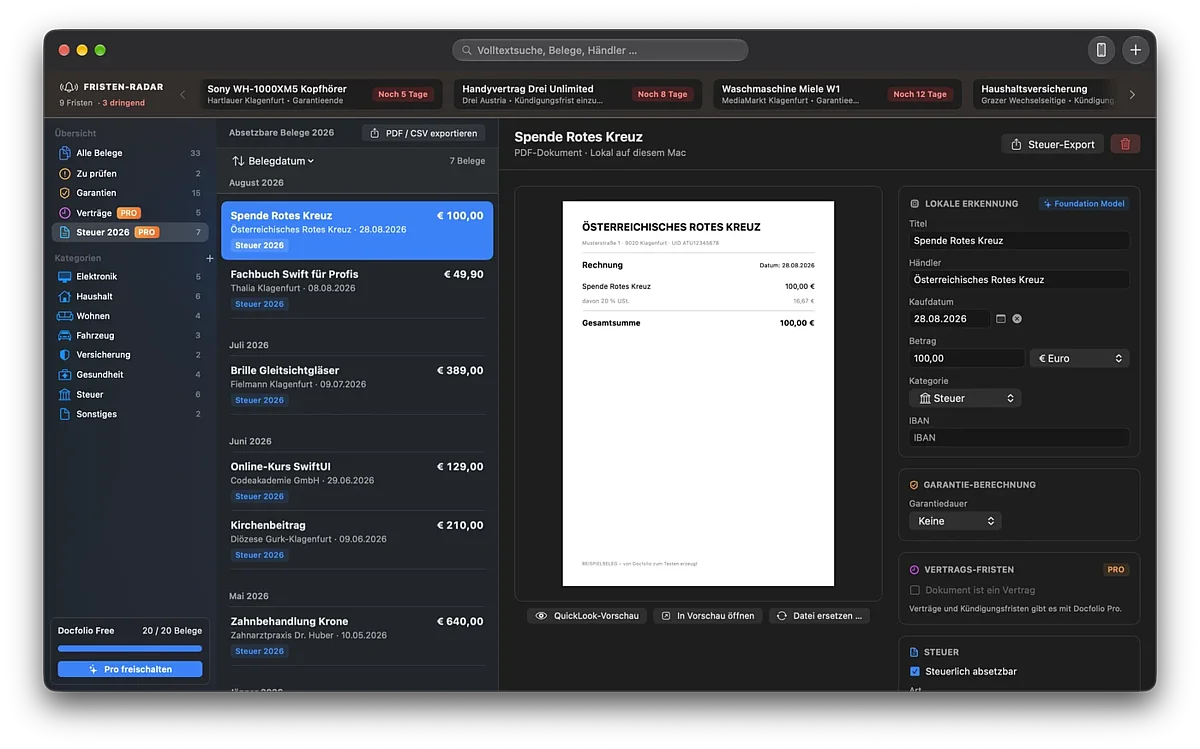
Tax export for Austria and Germany
At the end of the year, everything is in one place. Deductible receipts are marked, sorted and ready for your tax return.
- Mark as deductible with one click per receipt
- Annual report as PDF clearly grouped by category
- CSV export for Excel, Numbers or your tax advisor
- Austria & Germany suited for FinanzOnline and ELSTER
- Note not a substitute for tax advice
No internet
the app has no network access
Recognition on your Mac
no upload, no cloud AI
Encrypted backups
AES-256 with your own password
Time Machine
backed up automatically
Start free, go Pro once
Pro is a one-time purchase with your Apple Account and can be restored on new devices at any time.
| Free | Pro (one-time €14.99) | |
| Receipts | up to 20 | unlimited |
| Text recognition & reminders | ✓ | ✓ |
| Contracts with notice periods | - | ✓ |
| Tax export (PDF & CSV) | - | ✓ |
| Subscription | - | no subscription |
Frequently asked questions
Only on your Mac. There is no server and no account. Text recognition also runs on your device, so your documents never leave your Mac.
Drag PDFs or photos into the window or click “+”. Use the iPhone button in the toolbar to photograph or scan a document directly with your iPhone or iPad. Both devices need to be signed in with the same Apple ID and have Wi-Fi and Bluetooth turned on.
Docfolio reads merchant, date, amount, currency and IBAN automatically. On Macs with Apple Intelligence (macOS 26 or later) the results are even more accurate. For new documents, Docfolio shows “Please review the recognized details.” Check them briefly, confirm, done.
Turn on “Remind before expiry” for a document and choose when you'd like to be reminded, e.g. one month before. For contracts, Docfolio reminds you 14 days before the cancellation deadline. Set the time and default lead time in Settings › Notifications. Reminders arrive even when Docfolio is closed.
Check System Settings › Notifications › Docfolio to make sure notifications are allowed and no Focus mode is active. Important: the document must be confirmed and have a purchase date and warranty period.
Turn on “Tax deductible” for documents and choose the type, e.g. work-related or special expenses. Docfolio creates an annual report as PDF and CSV, for Austria (FinanzOnline) or Germany (ELSTER). Docfolio is not a substitute for tax advice.
Time Machine backs up Docfolio automatically. You can also create a backup file in Settings › Data & Backup › “Back Up …”. It is encrypted with your password (AES-256). Without the password no one can open it, not even the developer.
Create a backup in Settings › Data & Backup and open it on the other Mac with “Restore …”. Alternatively, macOS Migration Assistant transfers everything automatically.
Free for up to 20 documents. “Docfolio Pro” unlocks unlimited documents, contracts with cancellation deadlines and the tax export – €14.99 one-time, no subscription.
Docfolio › Settings › Docfolio Pro › “Restore Purchases”, using the same Apple ID you purchased with.
Questions, bugs or ideas: office@stefan-andres.at
Please include the app version (Docfolio › Settings › About Docfolio).